
When Cloud Agents Are the Right Tool (And When They Aren’t)
In a recent episode of Training Data, Making the Case for the Terminal as AI’s Workbench, one of the key takeaways highlights the impact of cloud agents on the software industry:

That framing matters, because it marks a shift many teams are already feeling but haven’t named yet. Increasingly, useful AI work happens after a deploy, when an alert fires, when a dependency update lands, or when a backlog quietly grows.
This work doesn’t belong to a single developer session. It belongs to the system. And once AI work moves into the background like this, a new problem appears:
How do you run, observe, control, and trust AI that’s operating continuously?
That’s the real job of cloud agents, and it’s also where teams tend to misuse them.
They promise automation, scale, and relief from the endless stream of alerts, security issues, and operational cleanup work that shows up after code ships. But like most powerful tools, they’re easy to misuse and when that happens, teams either over-automate or swear them off entirely.
The problem isn’t cloud agents themselves. It’s knowing when they’re actually the right tool.
This post is a practical guide for software teams deciding where cloud agents help, where they don’t, and how to start without creating new risks.
First: What We Mean by “Cloud Agents”
A cloud agent is an AI-driven process that runs on remote infrastructure, can be triggered by tasks, schedules, or external events, and uses reasoning over changing inputs to produce reviewable outcomes across shared engineering systems.
Unlike local or IDE-based agents, cloud agents can operate continuously and reactively, even long after a PR has merged. They're most useful for repetitive work, when they aren't tied to a single coding session, when it affects a team. (You can learn more about them in our Cloud Agents Taxonomy Guide.)
When Cloud Agents Are the Right Tool
Cloud agents are most effective when work meets three conditions:
- It keeps coming back
- It follows known rules
- It already has human review built in
Check out our When to Use Cloud Agents Guide for a checklist to help you decide if it's the right fit for your team.
Here are the clearest signs you should be using one:
1. The Same Problem Keeps Reappearing
If you’ve fixed the same issue more than once, it’s no longer a bug. It’s a pattern.
Examples:
- The same class of Sentry errors showing up every week
- Repeated dependency or vulnerability fixes
- CI failures caused by known, predictable issues
- Analytics anomalies that require the same investigation steps
Cloud agents are good for resolving the issues that are backlogged on your to-do list, but need to be done. Sometimes we call it the boring work, sometimes we call it the frog.
This use case is not about novelty. Cloud Agents can end the repetition. Often, if there's an external trigger (Snyk alert, GitHub PR, etc.), there's a good indication a cloud agent can support or handle the work.
2. The Work Is Reviewable
A good rule of thumb for Cloud Agents:
If you’d be comfortable reviewing this work in a PR, a cloud agent can probably help.
Cloud agents work best when:
- outputs are diffs, comments, or structured changes
- a human can review the result before it ships
- the blast radius is clearly scoped
Cloud agents excel at tasks with clear boundaries. This is why teams often start with:
- Documentation: "Update the README based on PR changes"
- Migration: "Generate TypeScript interfaces for any new API schemas"
- Triage: "Label new issues based on their content"
- Security fixes: "Fix new issues with known remediation paths"
Review is the safety rail. Without it, automation becomes risk.
3. The Work Doesn’t Require Product Judgment
Cloud agents are not product managers.
They’re a bad fit for:
- deciding what features to build
- interpreting ambiguous user intent
- making tradeoffs that require deep business context
They’re a good fit for:
- applying known rules
- following established patterns
- enforcing consistency
If the question is “What should we do?” → a human should answer it.
If the question is “Can we apply this known fix again?” → a cloud agent probably can.
4. The Cost of Delay Is Higher Than the Cost of Review
Some work is painful not because it’s hard, but because it lingers. Security backlogs, error queues, and operational debt tend to grow quietly. Cloud agents help when:
- delays increase risk
- issues pile up faster than teams can address them
- the work isn’t urgent enough to block feature development, but still matters
In these cases, cloud agents act as a pressure release valve, not a replacement for engineering judgment.
When Cloud Agents Are Not the Right Tool
Just as important: knowing when not to use them.
1. One-Off, Exploratory Work
If the task is:
- brand new
- poorly understood
- unlikely to repeat
…then automation is premature.
Cloud agents add value when they can amortize effort over time. For truly one-off investigations or experiments, a local or interactive workflow is usually better.
2. Highly Coupled, High-Blast-Radius Changes
Cloud agents should not be your first line of defense for:
- major architectural changes
- cross-cutting refactors across many services
- anything where a small mistake could cause widespread outages
These changes benefit from:
- deep human context
- deliberate sequencing
- explicit ownership
Automation can follow later after the pattern is proven.
3. Work Without Clear Ownership or Review
If no one is responsible for reviewing outcomes, cloud agents will eventually cause friction. Before introducing automation, teams should be able to answer:
- Who reviews this?
- Where does the output live?
- What happens if it goes wrong?
Cloud agents work best inside a system where ownership and visibility are explicit.
A Safer Way to Start
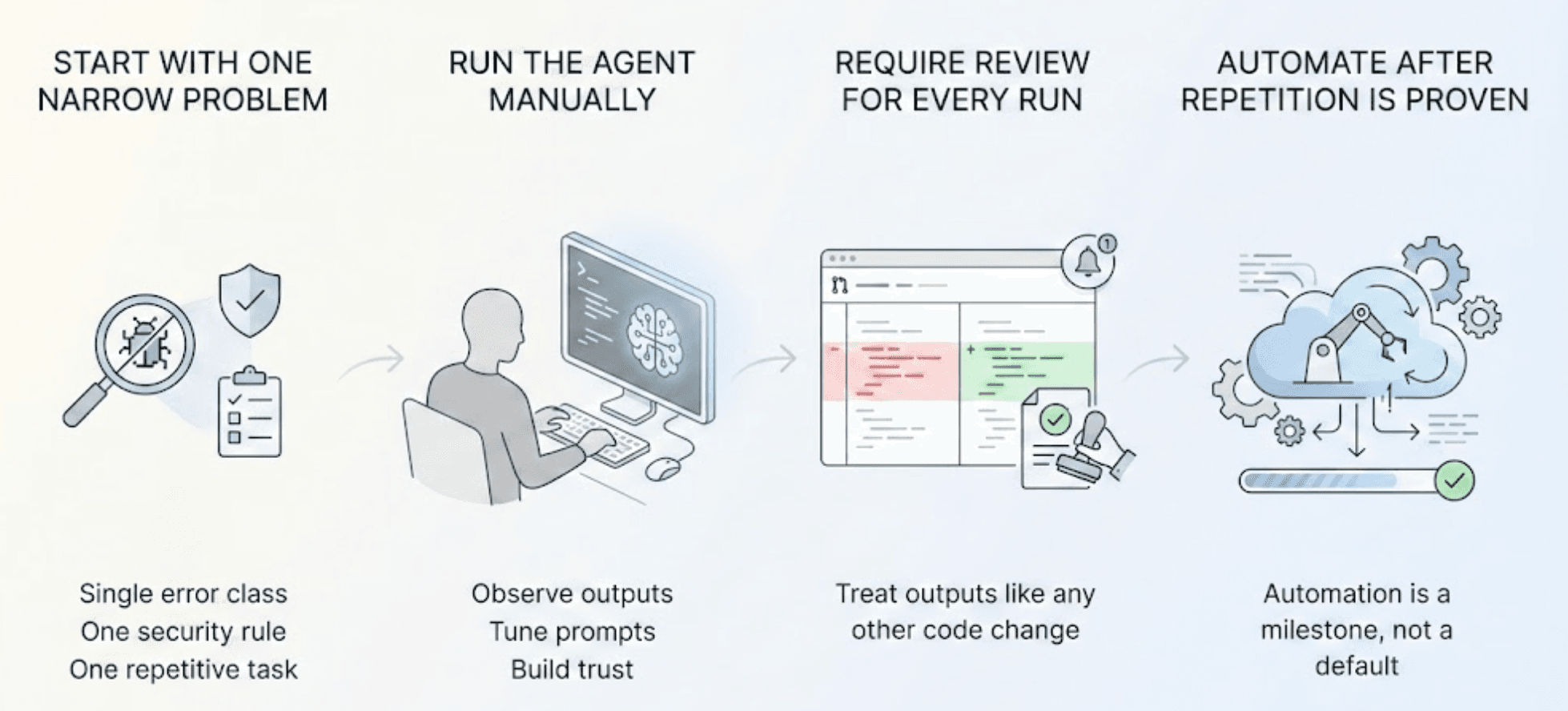
Teams that succeed with cloud agents usually follow the same progression:
- Start with one narrow problem: A single error class. One security rule. One repetitive task.
- Run the agent manually at first: Observe outputs. Tune prompts. Build trust.
- Require review for every run: Treat outputs like any other code change.
- Automate only after repetition is proven: Automation is a milestone, not a default.
This approach avoids the two common failure modes of automating too early or never automating at all.
Why Teams Centralize Cloud Agents
As usage grows, teams quickly discover that cloud agents need:
- visibility
- history
- coordination
- a shared place to review outcomes
Without a central hub, agents become:
- hard to track
- difficult to trust
- easy to forget about
This is why managing cloud agents through a shared control layer where runs, reviews, schedules, and adjustments live together can help teams create a more effective cloud agent experience.
Cloud Agent "Sweet Spot": Deterministic & Event-Driven
Use cloud agents when work repeats, is reviewable, and benefits from consistency. Avoid them when judgment, novelty, or high-risk changes are involved. If you get that boundary right, cloud agents stop feeling risky and start feeling like they're alleviating pressure on your team.
The Automation Pipeline: From Local to Cloud
The most successful teams we see don't just "switch on" cloud agents. They treat prompts like code. They follow a promotion pipeline:
| Agent State | Capability | Invocation | Constraints |
|---|---|---|---|
| Assisted | Solves one narrow task | Manual run | Human reviews every output |
| Repeatable | Produces consistent results | Config or one-off task | Same inputs, same behavior |
| Trusted | Acts autonomously | Automated task | Failures are rare and bounded |
Cloud agents in Continue live in Mission Control. They are designed for automated execution without human interaction while still keeping a human in the loop. Now you can monitor and manage cloud agent activity so your team can ship as fast as they can code.
Decision Tree: Should this be a Cloud Agent?
-
Does the work repeat?
No → Use a local/interactive workflow (IDE). Don’t automate one-offs.
Yes → Continue.
-
Is the output reviewable?
(Diffs, comments, structured changes; clear blast radius)
No → Not a cloud agent yet. Redesign the task so it produces reviewable artifacts.
Yes → Continue.
-
Does it require product judgment?
(Ambiguous intent, tradeoffs, “what should we do?”)
Yes → Keep human-led. Consider an assistant, not an agent.
No → Continue.
-
Is there clear ownership and a review loop?
(Who reviews? Where does output live? What’s the rollback/escalation path?)
No → Don’t ship automation. Add ownership + visibility first.
Yes → Continue.
-
How should you run it?
Start: Assisted
Manual run + mandatory review on every output.
Goal: prove the task is narrow and the agent is consistent.
Promote: Repeatable
Shared config or one-off Task runs (Mission Control).
Goal: same inputs produce the same behavior across the team.
Automate: Trusted
Scheduled / event-driven automation (CI, alerts, dependency updates).
Guardrail: failures are rare, bounded, and observable.